Key takeaways
- A diskless 2-bay NAS that costs under $150 is at the edge of what current makers sell, so the honest answer is that the UGREEN NASync DH2300 and…
A diskless 2-bay NAS that costs under $150 is at the edge of what current makers sell, so the honest answer is that the UGREEN NASync DH2300 and TerraMaster F2-212 suit buyers who can stretch slightly above the cap, and the cheapest route within it is often a single USB drive on a router or a used unit. Both of those 2-bay boxes are entry-level machines built for file backup, photo storage and media streaming rather than heavy apps. This guide covers the stated specs, the limits of entry-level ARM chips and the practical alternatives for a tight budget.
Our top picks


As an Amazon Associate we earn from qualifying purchases at no extra cost to you.
Quick answer
NAS enclosures are sold without drives, and two drives are a separate cost. Even a diskless 2-bay unit tends to sit just above this cap in the listings seen for this guide: reviewers compare the TerraMaster F2-212 and the Asustor AS1102T at figures above it, and retail listings place the UGREEN DH2300 diskless unit above it too, with sales bringing it nearer. No model is promised under the cap here, and the drives you add push the total further. If your limit is firm, read the alternatives section first.
At a glance
| Model | Best for | Key stated specs | Limits |
|---|---|---|---|
| UGREEN NASync DH2300 | Simple backup and media on a small budget | Rockchip RK3576 8-core ARM, up to 2.2 GHz; 4 GB LPDDR4X (not expandable); 32 GB eMMC; 2 SATA bays for 2.5 or 3.5 in drives; RAID 0, 1, JBOD; 1 GbE; USB-C 3.2 Gen 1 plus 2 USB 3.2 Gen 1; HDMI 4K at 60 Hz; no M.2 slots | No Docker or virtual machines; smaller app selection on ARM; 1 GbE caps transfers around 125 MB/s |
| TerraMaster F2-212 | Entry-level file storage and streaming | Realtek 1619B quad-core ARM Cortex-A55, 1.7 GHz; 1 GB fixed RAM; two SATA bays up to 22 TB each; RAID 0, 1, Single, JBOD, TRAID; 1 GbE; USB 3.2 Gen 1 and USB 2.0; reads to 112 MB/s | 1 GB RAM; one listing claims 24 TB per drive, conflicting with the 22 TB figure |
| Asustor AS1102T | 2.5GbE on a budget | Realtek RTD1296 quad-core 1.4 GHz; 1 GB DDR4 (not upgradable); 8 GB eMMC; one 2.5GbE port; 2 SATA bays for 3.5 in drives; 2 USB 3.2 Gen 1; 3-year warranty | No HDMI; no SSD cache per reviewers; 1 GB RAM; availability varies |
The models in detail
UGREEN NASync DH2300
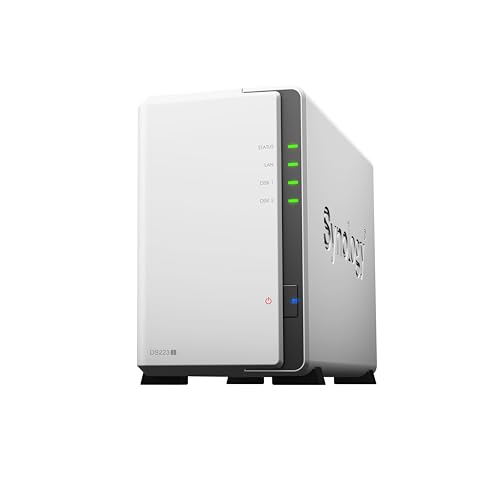
UGREEN lists a Rockchip RK3576 with eight cores (four A72 plus four smaller cores, listed as A55 or A53 depending on the source) at up to 2.2 GHz and a 6 TOPS NPU. Memory is 4 GB LPDDR4X that cannot be expanded, with 32 GB of eMMC holding the UGOS Pro operating system. The unit is diskless with two SATA bays for 2.5 or 3.5 inch drives and no M.2 slots. Capacity listings differ: most retailers and reviewers list 30 TB per bay and 60 TB total, while UGREEN’s own page lists up to 32 TB per bay and 64 TB total. RAID options are Basic, JBOD, RAID 0 and RAID 1. There is one gigabit port, with transfers up to about 125 MB/s, a USB-C 3.2 Gen 1 port, two USB 3.2 Gen 1 ports and an HDMI output supporting 4K at 60 Hz. Reviewers note that it does not support Docker or virtual machines and that the ARM version of UGOS offers a fairly small app selection. It suits backup, photo storage and simple sharing, not an app server.
TerraMaster F2-212
Reviewers describe the F2-212 as an entry-level 2-bay box with a quad-core Realtek 1619B ARM Cortex-A55 at 1.7 GHz and 1 GB of RAM that cannot be upgraded. It has two 3.5 or 2.5 inch SATA bays with support for up to 22 TB per drive, 44 TB total, a gigabit port, one USB 3.2 Gen 1 port and one USB 2.0 port. RAID options are 0, 1, Single, JBOD and TerraMaster’s TRAID. Reviewers report reads up to about 112 MB/s and writes of about 110 MB/s, and a USB 2.5GbE adapter can be added for more network headroom. With 1 GB of memory, it handles file serving but is not suited to heavy multitasking.
Asustor AS1102T
Asustor lists the Drivestor 2 AS1102T with a Realtek RTD1296 quad-core at 1.4 GHz, 1 GB of DDR4 that cannot be upgraded, 8 GB of eMMC, a single 2.5GbE port, two SATA bays for 3.5 inch drives with up to 36 TB of raw capacity (two 18 TB drives), two USB 3.2 Gen 1 ports, no HDMI output and a 3-year warranty. Reviewers note the lack of SSD caching and say you need fast drives or RAID 0 to make use of the 2.5GbE port. Availability varies, so confirm that it is still sold in your region. Synology’s DS223j is a comparable entry-level 2-bay unit, listed with a Realtek RTD1619B quad-core at 1.7 GHz, 1 GB of non-expandable DDR4, one gigabit port and two USB 3.2 Gen 1 ports.
What to check before you buy
Drives are extra
Every model above is diskless. NAS-rated drives, which are built for always-on use, add real cost, and two drives are needed for RAID 1 mirroring. Factor that in before comparing against any cap.
RAID is not a backup
RAID 1 keeps a copy on a second drive and survives one drive failure, but it does not protect against deletion, ransomware, fire or theft. Keep a separate backup of anything important, ideally off site.
Network speed
One gigabit port tops out near 110 to 125 MB/s, which is plenty for backup and streaming. A 2.5GbE port, as on the Asustor listing, helps only if your router or switch and your computer also support it.
Memory and apps
1 GB of RAM limits the number of apps and services. The DH2300 offers 4 GB but no Docker, and the ARM software catalogue is smaller than on x86 models. If you want a media server with transcoding, a database or containers, a higher tier is the safer route.
Noise, heat and power
Two spinning drives produce noise and heat. Place the unit on a hard, ventilated surface, avoid enclosed cupboards and keep it away from bedrooms if you are sensitive to noise. A small UPS protects against power loss and drive corruption.
Security
Set a strong admin password, install updates, avoid exposing the NAS to the internet without the maker’s guidance and use the vendor’s remote-access service or a VPN instead of opening ports.
Pick X if you…
| Pick this | If you… |
|---|---|
| UGREEN DH2300 | want more memory, HDMI output and modern ports, and can accept no Docker |
| TerraMaster F2-212 | want a straightforward file server with several RAID options |
| Asustor AS1102T | want 2.5GbE on an entry unit and can accept 1 GB of fixed memory |
| A USB drive on your router | need basic shared storage and must stay strictly under $150 |
Budget tiers
The entry tier is ARM-based 2-bay boxes with 1 to 4 GB of RAM and gigabit networking, covered above. The mid-range tier adds x86 processors, expandable memory, M.2 cache slots and Docker support. Premium tiers bring 10GbE, more bays and business features. Under the cap, you are generally looking at second-hand, open-box or on-sale units rather than a guaranteed list-price option.
Setting up a first NAS sensibly
Start by deciding what the NAS is for: a central place for photos and documents, a backup target for computers, or a media library. Each use shapes the drive size and RAID choice. For irreplaceable files, mirrored drives in RAID 1 plus a separate off-site copy is a widely used pattern. For a media library of replaceable files, JBOD or single-volume layouts give more usable space, at the cost of losing data if a drive fails.
Use two drives of the same capacity for mirroring, buy them from different batches where possible, and keep a note of the drive models and the date installed. Enable the maker’s drive health notifications, schedule regular backups instead of relying on memory, and test a restore of a file occasionally so you know the process works. Finally, label the unit and keep the admin credentials in a password manager, not on a sticky note, because a NAS often holds the most sensitive files in the house.
Alternatives
- External USB drive on a router: many routers can share a USB drive over the network, which is the cheapest route though it lacks RAID and apps.
- Single-bay NAS: lower enclosure cost, but no redundancy, so keep a second copy elsewhere.
- Cloud storage plus a local external drive: a drive for local copies and a cloud service for off-site backup is a workable pairing for small amounts of data.
- Used or previous-generation NAS: older 2-bay units may fall within the cap but may have ended software updates, so confirm support status.
Frequently Asked Questions
Is there a 2-bay NAS under $150?
Among the current models seen for this guide, the diskless units are listed slightly above that cap, with sales and open-box deals as possible exceptions. Plan for drive costs on top.
Do I need NAS-rated drives?
They are designed for continuous operation and the vibration of multi-drive enclosures, so makers generally recommend them. Check the drive compatibility list for your model.
What is RAID 1 and do I need it?
RAID 1 mirrors data across two drives so the NAS keeps working if one fails. It is not a backup, since deleted or corrupted files are mirrored too.
Can these NAS units run Plex or Docker?
The DH2300 does not support Docker or virtual machines per reviewers, and app availability on ARM is limited. Check the maker’s app list for the specific media server you want.
Is gigabit enough?
For backup, photos and streaming, yes. A gigabit port tops out near 110 to 125 MB/s. A 2.5GbE port helps only when the rest of your network supports it.
How do I keep a NAS safe from outside attacks?
Use strong passwords, apply updates and avoid port-forwarding. Use the maker’s secure remote-access service or a VPN, and keep an off-site backup.